

Business automation

Business automation for local service businesses.

Connect the tools you already use, move routine work automatically, make handoffs clearer, and keep approvals, exceptions, and important decisions with the right people.

  • Existing tools first
  • Clear ownership
  • Failure paths

Start with the work, not the automation.

The first question is not which automation tool to buy. It is whether the step should still exist at all.

The WCAP Automation Ladder

  1. Delete

    Remove the step if it adds no value.

  2. Simplify

    Reduce the steps before adding technology.

  3. Standardize

    Agree on one clear way to do the work.

  4. Automate

    Connect the repeatable parts with clear rules.

  5. Build

    Consider custom software only when existing tools fall short.

Automating a bad process usually makes the bad process faster.

A workflow needs more than a trigger and an action.

The Workflow Contract makes the normal path and the human responsibility explicit.

  1. Trigger

    What starts the workflow?

  2. Information

    What data does the next step actually need?

  3. Rules

    What conditions change the path?

  4. Action

    What routine step should happen automatically?

  5. Owner

    Who is responsible when the workflow needs a person?

  6. Fallback

    What happens when the normal path cannot complete?

If the owner and fallback are missing, the automation is unfinished.

What makes this business automation?

Business automation connects repeatable steps across the tools and people already involved in the operation. A trigger starts the workflow, information moves where it needs to go, routine actions happen automatically, and the process still has a clear owner when something needs judgment or goes wrong.

What business automation can handle.

The useful opportunities are usually ordinary. That is why they are valuable.

Intake and routing

Move structured information to the right record and person.

See examples
  • Structured form data
  • Internal records and notifications
  • Service-based routing and routine ownership

Detailed lead-response sequences belong to Lead Follow-Up Automation.
Scheduling and service coordination

Keep the next service step connected to the information it needs.

See examples
  • Appointment context and reminders
  • Status changes and staff notifications
  • Recurring tasks and supported calendar handoffs

Compatibility depends on the current scheduling or booking system.

Customer communication

Send the routine update the business has already approved.

See examples
  • Confirmations and acknowledgements
  • Approved status updates
  • Reminders and post-service instructions

Sensitive promises and unusual customer decisions stay with people.

Internal operations

Bring work and decisions to the person responsible for them.

See examples
  • Task creation and staff handoffs
  • Approval requests and recurring checks
  • Operational alerts and structured escalation

Every exception needs a real owner.

Data and reporting

Move useful records and make repeated reporting easier to maintain.

See examples
  • Supported record synchronization
  • Recurring reports and scheduled summaries
  • Flags for missing or inconsistent information

Moving data automatically does not make it accurate.

Post-job workflows

Connect completion to the next approved action.

See examples
  • Completion notifications
  • Approved review requests and service reminders
  • Recurring-service, accounting, or operations handoff

Customer communication and channel permissions are reviewed before launch.

For the narrower lead-response problem, see Lead Follow-Up Automation.

Not every workflow needs AI.

Choose the approach that fits the work. AI does not get more authority just because it is available.

Rules-based automation

Structured inputs. Clear conditions. Predictable output.

Example: When Job Status becomes Complete, send the approved completion email and create the next internal task.

If simple rules can solve the problem reliably, use simple rules.

AI-assisted step

Unstructured information needs classification, extraction, a summary, or a draft.

Example: Categorize a message, summarize a conversation, or prepare an internal note for review.

AI can help with ambiguous information, but its output is not automatically a business decision.

Human decision

Unusual pricing, complaints, refunds, safety, or consequential exceptions.

Example: Bring the request and its context to the person who can approve, change, or reject it.

Automation should bring the decision to the person with the context they need.

What happens when the workflow breaks?

A workflow is not reliable because the happy path ran once.

Choose the response by the failure and its consequence.

  • Retry

    A temporary connection or rate-limit problem may deserve another attempt.

  • Queue

    Important unfinished work may need to stay visible until it can be completed.

  • Alert

    Some failures need a person to know immediately.

  • Manual recovery

    Consequential work needs a clear way for someone to inspect the context and finish or correct it.

The right recovery path depends on what failed and what the business risks if the step never happens.

A retry is not always safe. Before repeating a consequential action, check whether it already sent the message, created the record, or completed the payment. Recovery options depend on the tools and agreed workflow.

Human approval belongs inside automation when the decision matters.

Automated does not have to mean unsupervised.

  1. Prepare the request

    Gather the information, summarize the context, and notify the right person.

  2. Pause for a decision

    A person can approve, reject, change the request, or resolve the exception.

  3. Continue with context

    The workflow continues based on that decision. The person keeps ownership.

An unusual discount, refund, high-value purchase, sensitive message, scheduling exception, or scope approval may need this pause.

Human review is a design feature, not failed automation.

Use the tools you already have before adding another platform.

Most businesses do not need a complete software replacement just to fix one workflow.

  1. Where work starts

    Website forms, email, calendar, booking software, phone or voice systems, and messaging.

  2. Where the record lives

    CRM, spreadsheets, accounting, payments, project or job management, databases, and internal tools.

  3. How the next step connects

    Supported settings, integrations, APIs, or webhooks, with the access the agreed workflow needs.

We connect these where supported, depending on the current tools and access. Important business accounts should stay under the business's control where practical, with WCAP using the access required to build and maintain the agreed workflow.

We have built the operational layer, not just marketing pages.

DetailerBase brings booking, customer records, and operational workflows into one WCAP Works product build.

DetailerBase

Booking, scheduling, CRM, payments, reminders, SMS/email automation, customer portal, recurring/fleet logic, and workflow tools.

DetailerBase is product-build proof, not an outside client case study or a claim that every business needs custom software.

See DetailerBase
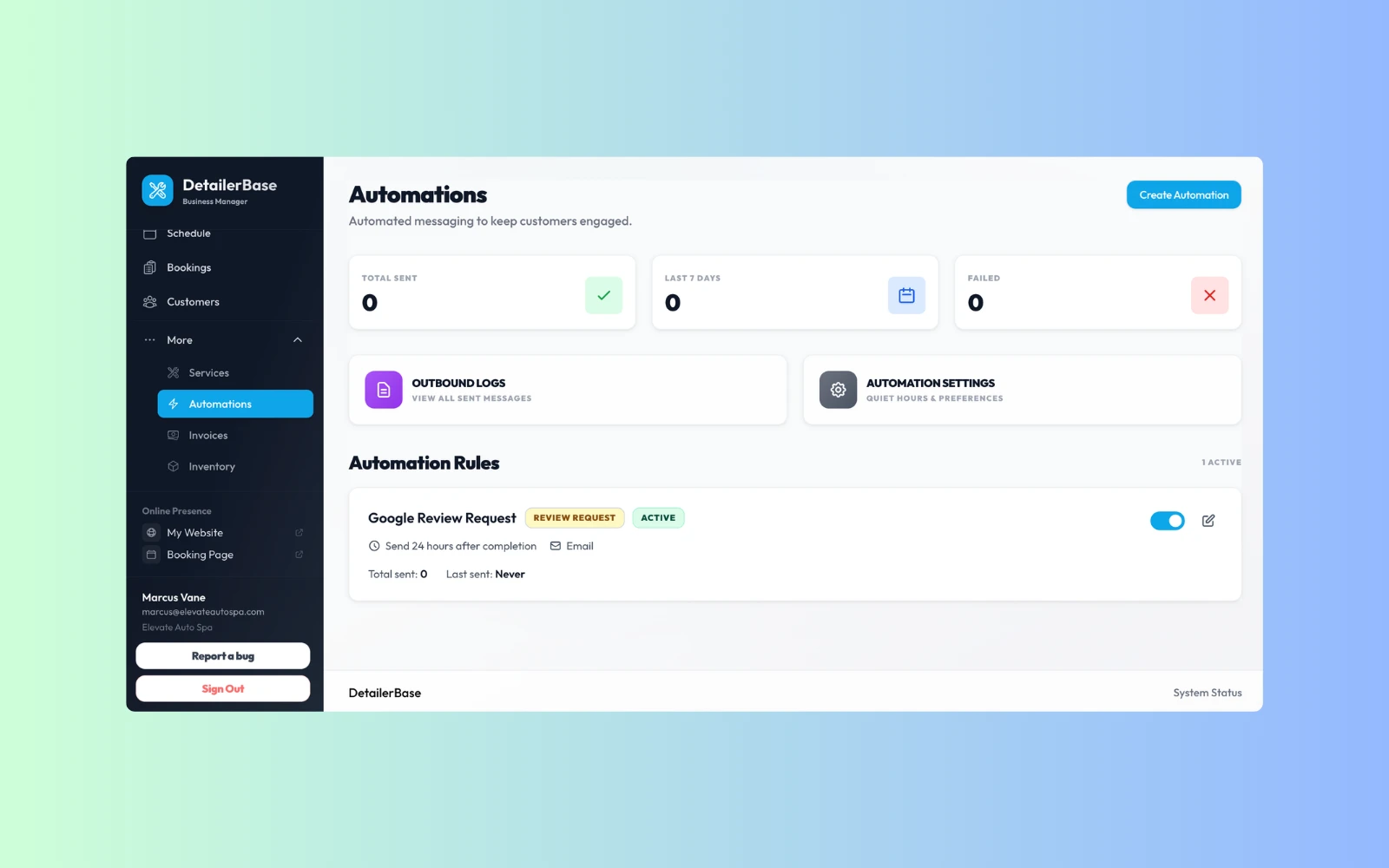
DetailerBase automations screen showing review request rules and outbound message log controls.
The automation layer supports review requests and message rules without requiring manual follow-up for every customer.

Automation, follow-up, and custom software solve different problems.

Business Automation

The process already exists and the main problem is repeated manual steps, disconnected tools, handoffs, approvals, or information movement.

AI Voice Agents

The workflow starts with or depends on a phone conversation. Voice can feed the wider workflow.

Custom Tools & Automation

Existing tools cannot support the workflow cleanly and the business genuinely needs a purpose-built interface, portal, dashboard, or software system.

WCAP should use the smallest layer that solves the operating problem.

Automate the workflow that is repeated, painful, and safe to improve.

The Automation Admission Gate is a practical starting check, not an ROI calculator.

If those answers are weak, the first job may be fixing the process instead of automating it.

Repeated
Does this happen often enough to matter?
Clear
Can the normal path be explained consistently?
Valuable
Would removing the manual steps save meaningful time, reduce delay, or make the process more reliable?
Recoverable
Can the business tell when something fails and recover safely?
Owned
Is there a real person responsible for the workflow and its exceptions?

How WCAP builds business automation.

Map the real process, connect the smallest complete workflow, and make it maintainable.

From the real workflow to a maintainable handoff
  1. Map the real workflow

    Document how the work actually happens today, including unofficial steps, tools, handoffs, exceptions, and the people who fix problems.

  2. Remove unnecessary work

    Delete duplicate steps and simplify the process before adding automation.

  3. Define the contract

    Set the trigger, information, rules, actions, owner, approvals, and fallback.

  4. Connect the smallest useful flow

    Use existing tools where practical and automate one complete workflow rather than wiring the whole business at once.

  5. Test failures and exceptions

    Test missing information, expired access, duplicate events, tool errors, unusual inputs, and human approval paths.

  6. Document and improve

    Make ownership, failure recovery, credentials, and important workflow behavior understandable enough to maintain after launch.

Scoped quote

Automation is scoped around the workflow, not the number of boxes on a diagram.

Connecting a form to one existing system is not the same project as coordinating five tools, approvals, customer updates, error recovery, and staff handoffs.

WCAP scopes the smallest useful workflow first. Ongoing support is optional unless the agreed system genuinely requires ongoing management or third-party usage.

What changes the scope

  • Workflows, systems, and available integrations
  • Authentication, access, and data quality
  • Branching rules, approvals, and customer communication
  • Exception complexity and retry or recovery requirements
  • Custom code and testing
  • Documentation, monitoring, and support
  • Third-party usage and ongoing management where needed

Automation is not always the first fix.

The process changes every time

If nobody can describe the normal path, define the process first.

The step should not exist

Delete unnecessary work instead of automating it.

Volume is tiny

A simple checklist or staff habit may be better than maintaining an integration.

The problem is ownership

Software cannot fix a workflow where nobody is responsible for the next action.

The decision needs judgment

Use automation to prepare the context, then let a person decide.

The missing piece is an interface

If staff need a real internal system rather than another integration, Custom Tools & Automation may be the correct project. See Custom Tools & Automation.

When the problem is how customers understand the offer or contact the business, start with Business Websites.

The goal is fewer unnecessary manual steps, not the highest possible automation count.

Questions about Business Automation

Map one workflow that keeps slowing the business down.

We will look at the trigger, tools, repeated steps, handoffs, exceptions, owner, and failure path, then tell you whether the best next move is simplification, automation, or something else.

Free preview. No obligation. No required monthly plan.

Prefer to talk first? Call +1 (902) 706-8171 or send a text.